
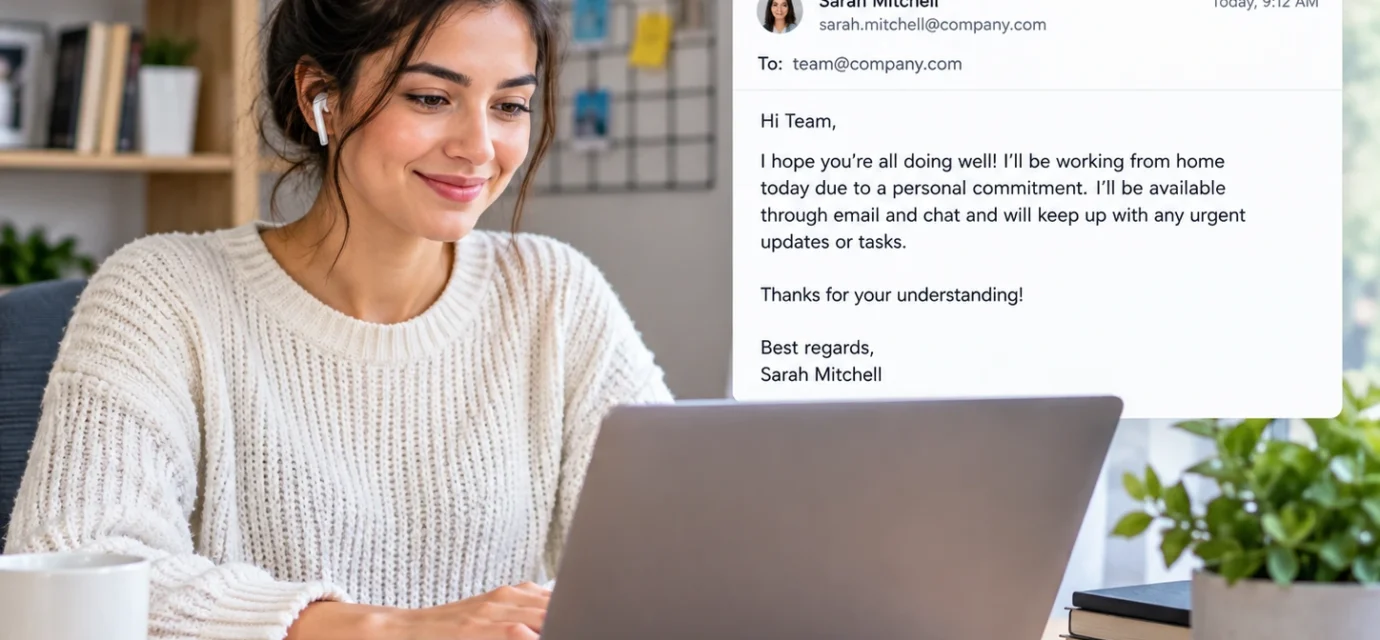

A wfh email example shows how to professionally request, confirm, or communicate WFH, meaning “work from home.” In a workplace email, WFH usually refers to performing your regular job remotely instead of working from the office.

What Does WFH Mean in an Email?
WFH stands for “work from home.” It is a common workplace abbreviation used when an employee wants to communicate that they will work remotely from their home rather than being physically present at the office.
When someone searches for a wfh email example, they are usually looking for the right way to tell a manager, supervisor, HR department, or colleague that they need to work from home.
For example:
“I’d like to WFH tomorrow due to an appointment.”
Here, WFH simply means work from home.
In a more formal email, you can write:
“I would like to request permission to work from home tomorrow.”
The second version is generally clearer for a manager or formal workplace communication.
WFH is usually a practical workplace abbreviation rather than internet slang. It can appear in emails, workplace chats, calendars, project-management tools, and internal messages.
WFH Email Example: What Is the Best Way to Write One?
A professional WFH email should be clear, brief, and specific. You normally do not need to provide a long explanation unless your company’s policy or your manager requires one.
A useful WFH request can include:
- The date you want to work from home.
- A brief reason, when appropriate.
- Confirmation that you will remain available.
- Information about your work or meetings.
- A polite request for approval.
For example:
Subject: Work From Home Request for Monday
Dear [Manager’s Name],
I would like to request permission to work from home on Monday, [date]. I will remain available during regular working hours and will continue to complete my assigned responsibilities.
I will also be available by email, phone, and Microsoft Teams throughout the day.
Thank you for your consideration.
Best regards,
[Your Name]
This structure works because it gives the manager the essential information without unnecessary detail.
7 Professional WFH Email Examples
1. Simple WFH Request
Subject: WFH Request for [Date]
Dear [Manager’s Name],
I would like to request permission to work from home on [date]. I will be available during my regular working hours and will continue to manage all of my assigned tasks.
Please let me know if you need any additional information.
Best regards,
[Your Name]
This is useful when you want to keep the request straightforward.
2. WFH Email Example for a Personal Reason
Subject: Request to Work From Home
Dear [Manager’s Name],
I would like to request permission to work from home on [date] due to a personal matter that requires my attention.
I will remain fully available during working hours and will make sure that my responsibilities and scheduled meetings are not affected.
Thank you for understanding.
Best regards,
[Your Name]
You can use “personal matter” when you do not want to share private details.
3. WFH Request Due to an Appointment
Subject: Work From Home Request
Dear [Manager’s Name],
I would like to request permission to work from home on [date] because I have an appointment that day.
I will be online during my normal working hours and will remain available for meetings and urgent tasks.
Thank you for your consideration.
Kind regards,
[Your Name]
This version provides enough information without oversharing.
4. WFH Email Due to Transportation Problems
Subject: Request to Work From Home Today
Hi [Manager’s Name],
I’m experiencing an unexpected transportation issue today and would like to request permission to work from home.
I have access to everything I need and can continue working normally. I’ll remain available on email and our usual communication channels.
Thank you for your understanding.
Best,
[Your Name]
This wording is appropriate for an unexpected situation when remote work is possible.
5. WFH Email Due to Bad Weather
Subject: WFH Request for Today
Dear [Manager’s Name],
Due to the current weather conditions and transportation difficulties, I would like to request permission to work from home today.
I’ll remain available during regular working hours and will continue working on my scheduled tasks and attending virtual meetings.
Thank you for your understanding.
Best regards,
[Your Name]
The exact reason should match your circumstances and workplace policy.
6. WFH Request for Multiple Days
Subject: WFH Request for [Dates]
Dear [Manager’s Name],
I would like to request permission to work from home from [start date] through [end date].
I will remain available during normal working hours and will continue to manage my current projects and responsibilities remotely.
Please let me know if you require any additional information or if there are any specific arrangements I should make.
Best regards,
[Your Name]
This format works well when you need remote work for more than one day.
7. WFH Confirmation Email
Subject: Confirmation of WFH Arrangement
Hi [Manager’s Name],
I’m writing to confirm that I will be working from home on [date], as discussed.
I’ll be available during regular working hours and will attend all scheduled virtual meetings. I’ll also remain reachable through email and our usual communication channels.
Thank you.
Best,
[Your Name]
This is useful when your manager has already approved the arrangement.

How to Write a WFH Email Professionally
Start With a Clear Subject Line
Your subject should immediately tell the recipient what the email concerns.
Good examples include:
- WFH Request for [Date]
- Request to Work From Home
- Work From Home Request for Monday
- WFH Request for [Dates]
- Confirmation of WFH Arrangement
Avoid vague subjects such as:
“Important”
or:
“Request”
A clear subject makes it easier for your manager to understand the purpose of the email.
State the Request Clearly
Do not make your manager search through several paragraphs to find your request.
Instead of:
“I wanted to discuss something regarding my schedule and whether there might possibly be an alternative arrangement…”
write:
“I would like to request permission to work from home on Friday.”
The direct version is more professional and easier to process.
Mention Your Availability
If you are requesting WFH, reassure your manager that you will remain available.
For example:
“I’ll be available during regular working hours and will attend all scheduled meetings remotely.”
This is especially useful when the purpose of the email is to request temporary remote work.
Explain the Reason Briefly
You can provide a short reason if appropriate.
Examples include:
- Personal appointment
- Transportation issue
- Home maintenance appointment
- Unexpected circumstances
- Family responsibility
- Weather-related travel difficulty
You do not necessarily need to disclose sensitive personal information.
Is WFH Formal or Informal?
WFH is widely understood workplace shorthand, but “work from home” is more formal and universally clear.
In an internal workplace chat, you might write:
“I’m WFH today.”
In a formal email to a manager, you could write:
“I’ll be working from home today.”
For a first reference in a document or formal communication, you can write:
“work from home (WFH)”
Afterward, WFH can be used if the audience understands the abbreviation.
WFH in Different Workplace Contexts
Email to a Manager
When writing to your manager, keep the request polite and direct.
“I would like to request permission to work from home tomorrow.”
This is generally more appropriate than simply writing:
“WFH tomorrow.”
Email to HR
HR communication may require more formal wording, particularly when the request relates to company policy.
“I would like to request approval to work from home on [date] in accordance with the company’s remote-work policy.”
Message to a Coworker
Coworker communication can be more casual.
“I’m WFH today, but I’ll be online if you need anything.”
Team Communication
In a team channel, WFH may be used as a quick status update:
“I’m WFH today. I’ll join the 10 a.m. meeting remotely.”
The abbreviation is especially useful when everyone in the team already understands it.
WFH Tone Variations
Serious Tone
A: Hi, I’d like to request WFH tomorrow due to a personal appointment.
B: That should be fine. Will you be available during normal hours?
A: Yes, I’ll be online throughout the day.
B: Okay, please send me the formal request by email.
Friendly Tone
A: Hey, I’m planning to WFH tomorrow.
B: Sure, no problem. Are you joining the morning meeting online?
A: Yes, I’ll be there.
B: Great, thanks for letting me know.
Concise Tone
A: Can I WFH on Friday?
B: Yes, that works.
A: Thanks! I’ll be online as usual.
B: Sounds good.
Cautious Tone
A: Would it be possible for me to work from home tomorrow?
B: Is there a particular reason for the request?
A: I have a personal appointment, but I’ll be available throughout the workday.
B: Thanks for clarifying. Please send the request by email.
Real WFH Text and DM Examples
Example 1: Coworker
A: Are you coming into the office today?
B: No, I’m WFH today.
A: Got it. Can you still join the project meeting?
B: Absolutely, I’ll join online.
Example 2: Manager
A: Hi, can I work from home tomorrow?
B: What time will you be available?
A: My normal hours, 9 to 5.
B: Okay, send me the request by email.
Example 3: Team Member
A: Just letting you know I’m WFH today.
B: Thanks for the update.
A: I’ll still handle the client report.
B: Perfect.
Example 4: Unexpected Situation
A: I’m having an issue getting to the office this morning.
B: Are you able to work remotely?
A: Yes, I can WFH and stay online all day.
B: Okay, please send the team an update.
Example 5: Appointment
A: Would it be okay if I WFH next Tuesday?
B: Sure. Is everything covered for your meetings?
A: Yes, I’ll attend them remotely.
B: Great.
Example 6: Parent and Adult Child
A: Are you going to the office today?
B: No, I’m WFH.
A: So you’ll be working from your room?
B: Yep, I’ve got meetings all morning.
Example 7: Sibling
A: What are you doing today?
B: WFH until 5.
A: So you can’t come out for lunch?
B: Not during my break, unfortunately.
Example 8: New Colleague
A: Are you in the office today?
B: No, I’m working from home.
A: Thanks. I needed to ask about the report.
B: Send it over and I’ll take a look.
Example 9: Friend
A: You free this afternoon?
B: I’m WFH, so only after 5.
A: No worries. Want to grab dinner?
B: Sure, that works.
Example 10: Professional Contact
A: Are you available for a quick call?
B: Yes, I’m WFH today but available online.
A: Perfect. I’ll send you a meeting invite.
B: Sounds good.
Grammar and Language Role of WFH
WFH is an abbreviation/initialism for “work from home.”
It generally functions as shorthand for a workplace status or activity.
WFH at the Beginning of a Sentence
“WFH today, so I’ll join remotely.”
This is common in informal workplace messaging.
WFH in the Middle of a Sentence
“I’ll be WFH tomorrow.”
Here, WFH describes the employee’s work arrangement.
Can WFH Stand Alone?
Yes, particularly in informal workplace chat.
For example:
“WFH today.”
This can function as a complete status update even though it is not a traditional full sentence.
In a formal email, however, writing “I’ll be working from home today” is usually more polished.
Capitalization
The standard abbreviation is WFH, with all three letters capitalized.
Lowercase wfh is common in casual digital communication, but it does not normally create a different meaning.
For example:
“I’m WFH today.”
and
“I’m wfh today.”
generally mean the same thing. The uppercase form is more conventional in professional writing.
How to Reply to a WFH Message
Funny Reply
“Lucky you! Enjoy the commute from your bed to your desk.”
Use this only with someone you know well.
Serious Reply
“Thanks for letting me know. Please remain available during your regular working hours.”
Neutral Reply
“Thanks for the update. I’ll contact you online if I need anything.”
Manager Reply
“Approved. Please remain available during your normal working hours and attend your scheduled meetings remotely.”
WFH vs. Related Terms
| Term | Meaning | Usage Context | Tone | Popularity | Confusion Risk |
|---|---|---|---|---|---|
| WFH | Work from home | Workplace communication | Neutral | Very high | Low |
| Remote work | Working away from the traditional office | Professional/workplace | Formal | Very high | Low |
| Work remotely | Performing work remotely | Business communication | Formal | High | Low |
| Hybrid work | Combination of remote and office work | Workplace policy | Professional | High | Moderate |
| WFO | Work from office | Workplace status | Neutral | Moderate | Moderate |
| OOO | Out of office | Email/status updates | Professional | Very high | Low |
WFH and remote work are related but not always identical. WFH specifically emphasizes working from home, while remote work can include working from another location such as a coworking space or another approved location.
Who Uses WFH?
WFH is widely used by employees, managers, HR professionals, contractors, freelancers, and distributed teams.
Gen Z and Millennials
Younger workers may frequently encounter WFH in workplace chats, scheduling messages, team platforms, and informal professional communication.
Millennials and older employees may also use WFH extensively, particularly in workplaces where remote or hybrid arrangements are established.
There is no strict age requirement for using WFH. Workplace culture and familiarity with digital communication are more relevant than age alone.
Regional Usage
WFH is widely recognized in English-language workplace communication in the United States, United Kingdom, Canada, Australia, and other regions where English is commonly used professionally.
The exact workplace policy surrounding working from home differs by employer and jurisdiction, so the abbreviation itself should not be interpreted as evidence that remote work is automatically permitted.
Origin and Internet Culture of WFH
WFH developed as practical workplace shorthand rather than as a meme or TikTok expression.
The phrase “work from home” existed long before modern social media. The abbreviation became increasingly visible as remote and flexible work arrangements became more common and digital workplace communication expanded.
Unlike slang created specifically for social media, WFH has a straightforward functional purpose: it communicates a person’s work location quickly.
This is why WFH can appear naturally in calendars, email subject lines, instant messages, employee status updates, and workplace documentation.
Is WFH Rude or Offensive?
No. WFH is not profanity, an insult, or an inherently offensive term.
It is a neutral workplace abbreviation.
However, the wording surrounding a WFH request can affect how professional it sounds.
For example:
“I’m WFH tomorrow.”
may sound abrupt if sent to a manager without prior discussion.
A more professional version is:
“I would like to request permission to work from home tomorrow.”
The second version clearly communicates that you are making a request rather than assuming approval.
Is WFH Appropriate for School or Work?
WFH is highly appropriate in workplace communication when the subject is remote work.
It may be used in:
- Business emails
- Team chats
- HR communication
- Internal announcements
- Work calendars
- Project-management tools
- Employee status updates
For a formal letter, report, or external business communication, spelling out work from home is usually clearer than relying on WFH.
Common WFH Email Mistakes
Assuming Approval
Writing “I’ll be WFH tomorrow” can sound like you have already decided, especially if approval is required.
Instead, use:
“I would like to request permission to work from home tomorrow.”
Giving Too Much Personal Information
A WFH request generally does not require a detailed explanation of private circumstances.
A brief phrase such as “due to a personal matter” may be enough when appropriate.
Forgetting the Date
“Can I WFH tomorrow?” can create confusion when the email is read later.
Include the exact date whenever possible.
Failing to Mention Availability
If appropriate, tell your manager that you will remain available and continue handling your responsibilities.
This gives the recipient useful information without making the email unnecessarily long.
Real-World Observation
WFH works particularly well as workplace shorthand because it communicates an entire work-location status in only three letters. In a team chat, “WFH today” can be enough information for colleagues who already understand the company’s working arrangements. In a formal email, however, the same abbreviation often benefits from being expanded into “work from home,” especially when requesting approval. Its durability comes from practicality: unlike many internet abbreviations that depend on trends, WFH describes a real and recurring workplace situation.
FAQ About WFH Email Examples
What does WFH mean in an email?
WFH means “work from home.” It tells the reader that someone is performing their work remotely from their home rather than working at the office. The abbreviation is particularly common in workplace emails, chats, calendars, and status updates.
What is a good WFH email example?
A simple example is: “I would like to request permission to work from home on [date]. I will remain available during regular working hours and will continue to manage my assigned responsibilities.” This is clear, polite, and appropriate for a manager or supervisor.
How do I ask my boss to work from home?
State the requested date, give a brief reason if necessary, and confirm that you will remain available. For example: “I’d like to request permission to work from home tomorrow due to a personal appointment. I’ll remain online during normal working hours and attend all scheduled meetings remotely.”
Is it professional to say WFH in an email?
Yes, particularly in internal workplace communication. However, “work from home” is usually clearer in formal emails, especially when you first introduce the term. You can write “work from home (WFH)” and then use WFH afterward.
Is it rude to reply with just WFH in a text?
Not necessarily. If your coworkers already understand the abbreviation, replying “WFH today” can be perfectly normal. However, sending only “WFH” to a manager without context may seem abrupt or incomplete, particularly if you are requesting approval.
What’s the difference between texting WFH and saying it out loud?
When texting, WFH is useful because it saves time and space. When speaking, people normally say “work from home” rather than pronouncing the three letters. The meaning remains the same, but the abbreviation is much more natural in written workplace communication.
Does WFH mean the same thing in a group chat vs. a 1-on-1 text?
Yes, the basic meaning remains “work from home.” In a group chat, “WFH today” can serve as a quick status update for several coworkers. In a one-on-one message, additional information may be useful if the recipient needs to know your availability or meeting arrangements.
Is WFH the same as remote work?
Not always. WFH specifically refers to working from home, while remote work can include working from another approved location. Many companies use the terms interchangeably in casual conversation, but their formal policies may define them differently.
PAA Questions About WFH
What does WFH stand for?
WFH stands for “work from home.” It is commonly used in professional emails and workplace messaging to describe working from home rather than from an office.
How do you write a WFH request email?
Start with a clear subject, state the date, briefly explain the reason if appropriate, and confirm your availability. Finish with a polite request for approval.
What is the best subject for a WFH email?
Good subjects include “WFH Request for [Date]”, “Request to Work From Home,” and “Work From Home Request for Monday.” The best choice depends on whether you are requesting or confirming the arrangement.
How do I professionally say I am working from home?
You can write, “I’ll be working from home today and will remain available during regular working hours.” For a quick internal message, “I’m WFH today” is also common.
Read More: MLM Email Example: 7 Professional Examples & Meaning
Conclusion
A wfh email example helps you communicate a work-from-home request or status clearly and professionally. WFH means “work from home” and is a common workplace abbreviation used in emails, chats, calendars, and internal communication.
For formal communication, it is usually best to write “work from home” rather than relying entirely on the abbreviation. When making a request, include the exact date, keep your reason brief when appropriate, and explain how you will remain available.
Usage Tips
- Use WFH for concise internal workplace communication.
- Write “work from home” in formal emails when maximum clarity is important.
- Include the exact date of your requested WFH day.
- Confirm your availability and planned work responsibilities.
Common Mistakes
- Assuming approval without asking when approval is required.
- Sending only “WFH” without enough context.
- Forgetting the date.
- Providing unnecessary personal information.
When to Use or Avoid WFH
Use WFH when communicating about working from home with coworkers, managers, HR, or other workplace contacts who understand the abbreviation. In formal external communication, spell out work from home for clarity. Most importantly, follow your employer’s remote-work policy rather than assuming that sending a WFH email automatically means the request is approved.